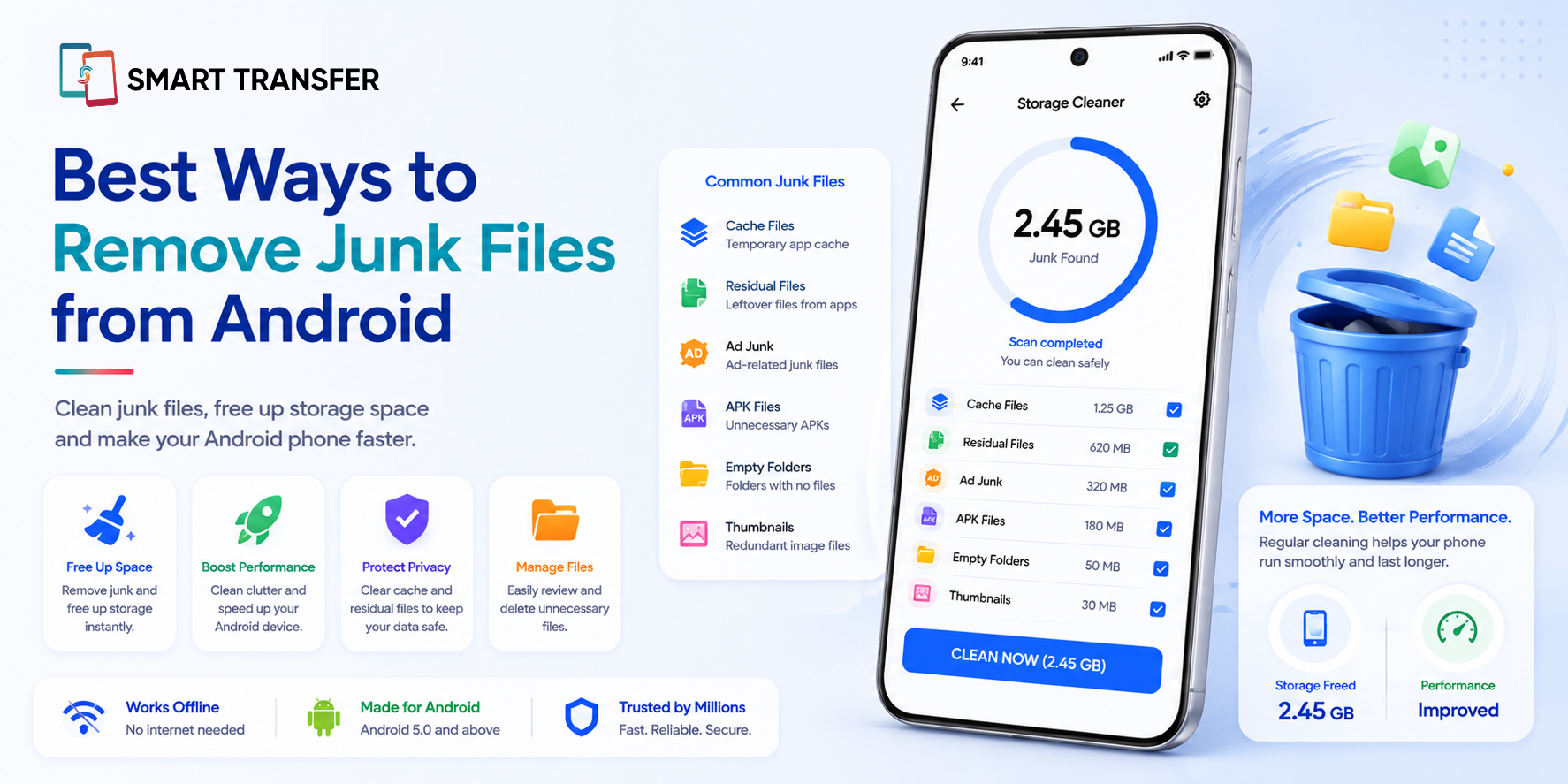
Running out of storage doesn't always mean your phone is filled with photos, videos, or apps you can't live without. Over time, Android devices can collect junk files such as temporary files, cached data, old downloads, duplicate content, and other unnecessary clutter that quietly takes up valuable space.
The good news is that you can remove many of these files without deleting the things that matter. By identifying what's using your storage and cleaning unnecessary clutter, you can free up space and keep your Android phone running more smoothly.
In this guide, we'll cover the best ways to remove junk files from Android, explain which files are generally safe to clean, and show you how tools like Smart Transfer's Storage Manager can help you find unnecessary clutter without digging through every folder yourself.
Key Takeaways
Junk files can quietly take up valuable storage on your Android phone. Cached data, temporary files, old downloads, duplicate content, and other unnecessary files can build up over time.
You can remove many junk files without deleting important data. Reviewing what is taking up space helps you safely clear unnecessary clutter while keeping your photos, videos, documents, and other files you still need.
Regular storage cleanups can help keep your phone organized. Tools like Smart Transfer's Storage Manager can make it easier to identify unnecessary files and free up space without searching through every folder manually.
What Are Junk Files on Android?
Junk files are unnecessary files that build up on your Android phone over time and take up storage space. They can include temporary files, cached data, old downloads, duplicate files, and leftover data from apps you no longer use.
Some of these files are created to help apps load faster or perform certain tasks, but they may no longer be useful after a while. Others are simply forgotten downloads or duplicate copies that continue taking up space without you realizing it.
The important thing is that not every file taking up storage is junk. Photos, documents, app data, and other personal files may be important, so it's worth reviewing what you're deleting before clearing space. Once you know what to look for, removing unnecessary clutter can be a simple way to free up storage without losing the files that matter.
Best Ways to Remove Junk Files from Android
You don't need to delete everything on your phone to free up storage. The best way to remove junk files from Android is to identify what is taking up space and remove the files you no longer need.
Manually checking every folder can take time, especially when you're not sure where the clutter is hiding. Smart Transfer's Storage Manager can help you get a clearer view of what's taking up space, making it easier to review large files, duplicates, and other unnecessary clutter.
The key is to clean selectively rather than delete blindly. Take a moment to review each file before removing it so you can free up storage while keeping important photos, videos, documents, and other personal data safe.
What Files Should You Avoid Deleting?
Removing junk files can free up valuable storage, but not everything taking up space on your Android phone is safe to delete. Before removing a file, take a moment to check what it is and whether you might need it later.
A good rule is simple: if you're not sure whether a file is junk, don't delete it immediately. Review it first, check whether it's backed up, and confirm that you no longer need it.
This is where a storage management tool can be especially useful. Instead of randomly deleting files to create space, you can review what's taking up storage and make more informed decisions about what to remove.
How to Keep Junk Files from Building Up Again
Removing junk files can free up storage, but clutter can slowly return as you download files, install apps, and use your phone every day. A few simple habits can help keep unnecessary files from building up again.
Review Your Downloads Regularly
Your Downloads folder can quickly collect files you only needed once. Check it occasionally and remove old installation files, duplicate documents, images, or other downloads you no longer need.
Clear Unnecessary App Cache
Some cached data is useful, but it can accumulate over time. If an app is taking up an unusual amount of storage, review its cache and clear it when appropriate rather than waiting until your phone is completely full.
Uninstall Apps You No Longer Use
It's easy to keep apps long after you've stopped using them. Reviewing your installed apps every few months can help you identify ones that are taking up space without providing much value.
Check Your Storage Before It Becomes Full
Don't wait until you receive a “storage almost full” notification. Regularly checking what's using space can help you spot large files, duplicates, and unnecessary clutter before they become a bigger problem.
Using a tool like Smart Transfer's Storage Manager can make this process easier by helping you review what's taking up space and identify files you may no longer need. A little regular maintenance can help keep your Android storage organized and reduce the need for a major cleanup later.
Common Mistakes When Removing Junk Files from Android
Cleaning junk files can free up storage, but rushing through the process can sometimes create new problems. The goal is to remove unnecessary clutter, not accidentally delete files you still need.
The safest approach is to review before you remove. Focus first on obvious clutter, such as old downloads, temporary files, duplicates, and unused apps, then work through anything else that is taking up significant storage.
A storage management tool can make this process easier by helping you identify files worth reviewing instead of forcing you to search through every folder manually.
Remove Junk Files and Free Up Space on Android
Junk files can slowly take over your Android storage, but freeing up space doesn't have to mean deleting the photos, videos, documents, and other files that matter to you. Clearing unnecessary cache, reviewing old downloads, removing duplicates, and uninstalling unused apps can help you reclaim storage safely.
The key is to review before you delete. Instead of removing files blindly, check what's taking up space and focus on clutter you no longer need. Smart Transfer's Storage Manager can help you get a clearer view of your storage, making it easier to find unnecessary files and decide what stays and what goes.
Ready to free up space on your phone? Download Smart Transfer from Google Play or the Apple App Store and take control of your Android storage with a smarter, simpler way to manage your files.
Frequently Asked Questions About Removing Junk Files from Android
How do I remove junk files from my Android phone?
You can remove junk files by clearing unnecessary app cache, deleting old downloads, removing duplicate files, reviewing large files, and uninstalling apps you no longer use. A storage management tool can also help you identify clutter more quickly.
Is it safe to delete junk files on Android?
Yes, deleting genuine junk files is generally safe. However, you should review files before removing them and avoid deleting important documents, personal photos, backups, app data, or system files unless you know exactly what they are.
Does clearing cache delete my data?
No, clearing an app's cache does not normally delete your account or personal information. It removes temporary files the app has stored on your device. Clearing app data, however, is different and may reset the app or remove locally stored information.
What are junk files on Android?
Junk files are unnecessary files that can build up on your phone over time. They may include temporary files, cached data, old downloads, duplicate files, and leftover content you no longer need.
What is the best way to clean junk files from Android?
The best approach is to review what is taking up storage and remove unnecessary files selectively. Start with obvious clutter, such as old downloads, duplicates, unused apps, and unnecessary cached files, rather than deleting files blindly.
How often should I clean junk files from my phone?
There is no fixed schedule, but checking your storage every few weeks or months can help prevent clutter from building up. You may also want to review your storage whenever your phone starts running low on available space.