Imagine unboxing your new Android phone. The screen glows with promise, bright, smooth, untouched by apps and memories. It feels like opening a fresh chapter in your digital life. But with that excitement comes a simple question:
“How do I move everything from my old phone to this new one without losing a single moment?”
With Smart Transfer, that question disappears almost instantly. Smart Transfer doesn’t just copy data, it carries your world forward. No cables. No cloud uploads. No complicated steps. Just a fast, secure, wireless clone of everything that matters: your photos, apps, contacts, messages, documents, and memories. This is what upgrading should feel like: effortless, intuitive, and inspiring.
Why Smart Transfer Is the Easiest Way to Clone Your Phone
Preserve Irreplaceable Memories
Every photo in your gallery holds a story: a toddler’s first steps, a sunset painted in molten gold, bursts of laughter frozen in time. Losing these would feel like erasing chapters from your personal history. Cloning with Smart Transfer’s smart switch phone transfer capabilities ensure every memory leaps intact onto your new device, ready for you to relive and share.
Keep Your Connections Alive
Contacts are far more than names on a list, they represent mentors, family, friends, and colleagues who shape our journeys. Manually re‑entering numbers and addresses is a chore that steals time and steals smiles. Smart Transfer phone switch carries over your entire address book, call logs, and message threads so you can dive straight back into conversations without missing a beat.
Reclaim Your Time and Peace of Mind
Traditional methods, wide‑eyed cloud uploads or crisscrossing cables, can stretch for hours. When you have tens of gigabytes of photos, videos, and apps, delays are inevitable. Smart Transfer harnesses your Wi‑Fi or hotspot to achieve lightning‑fast transfers—10 GB in under 10 minutes, freeing you to explore new features and bask in that gleaming “new phone” glow.
Break Free From Brand Barriers
Have you ever tried to move from a Samsung to a Pixel only to find Smart Switch phone transfer balking at the idea? Or downloaded CloneIt, only to discover it refuses to recognize your Xiaomi? Smart Transfer’s phone switch feature transcends these limitations. It speaks every Android model’s language, whether Google, Samsung, OnePlus, Huawei, or any other.
How to Clone Your Android Phone (Step-by-Step Guide
1. Prepare Both Device
- Charge both phones at least 50%
- Connect both to the same Wi-Fi network or set up a hotspot
- Close heavy apps that may consume bandwidth
2. Install Smart Transfer
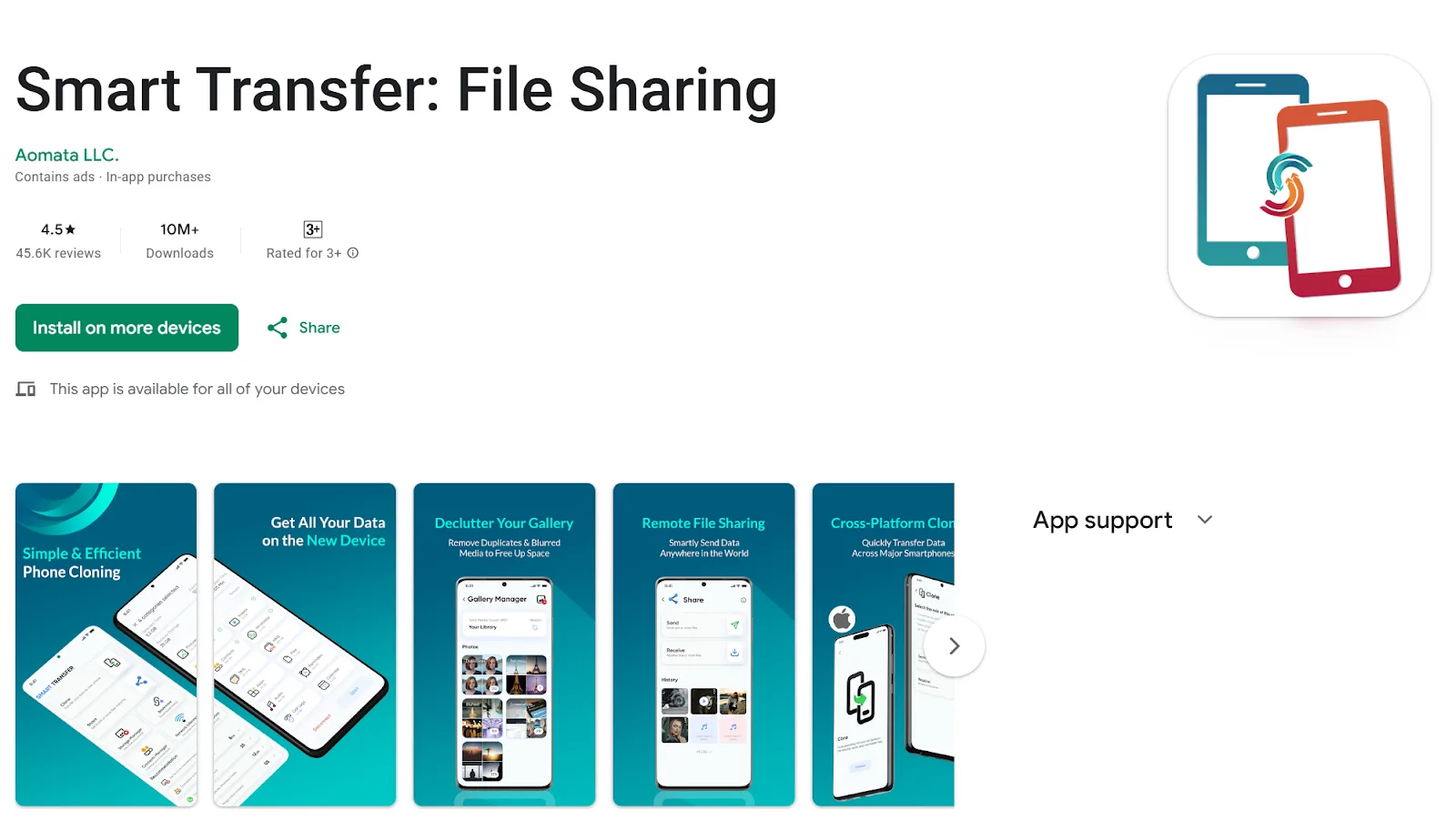
On each phone:
Open Google Play → Search Smart Transfer → Tap Instal
3. Launch the App
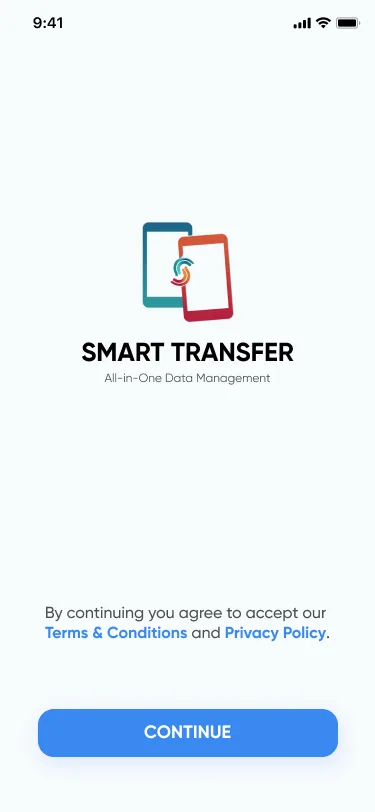
Open Smart Transfer on both phones → Tap Continue
Choose Skip or View Tutorial
4. Enter the Clone Module
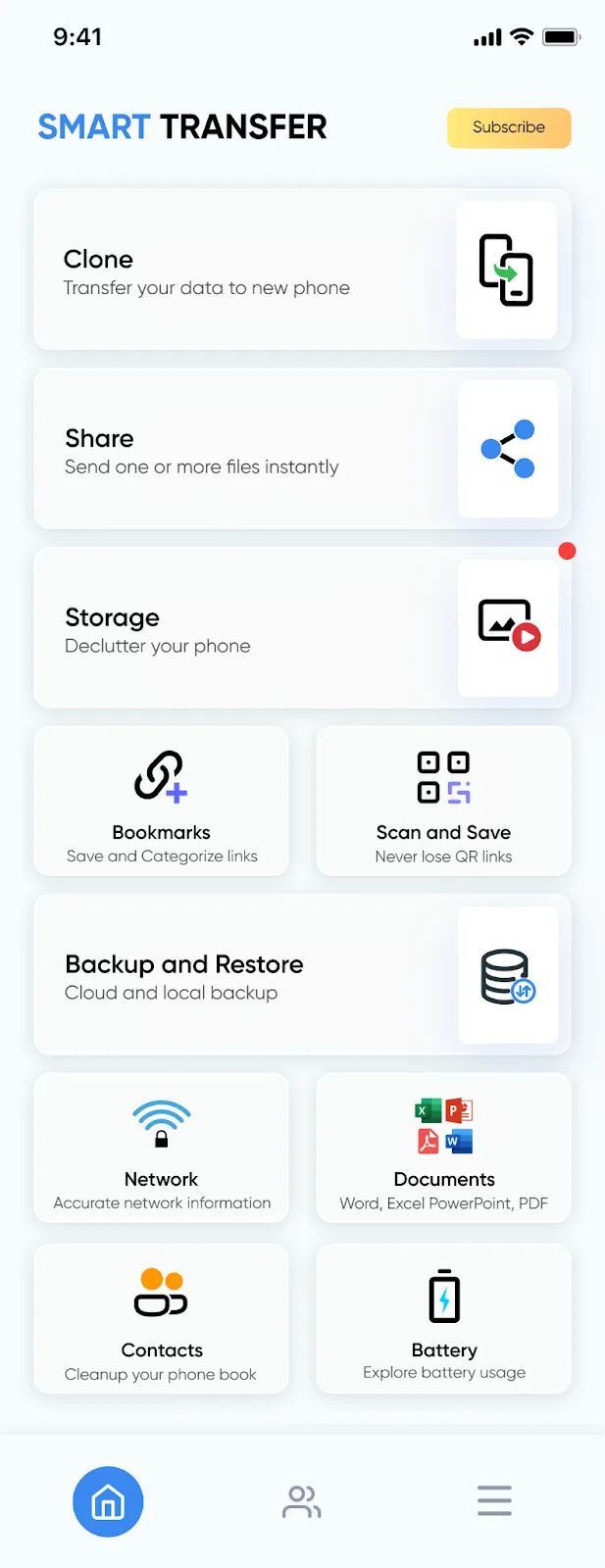
Tap Clone on both devices
5. Assign Sender & Receiver
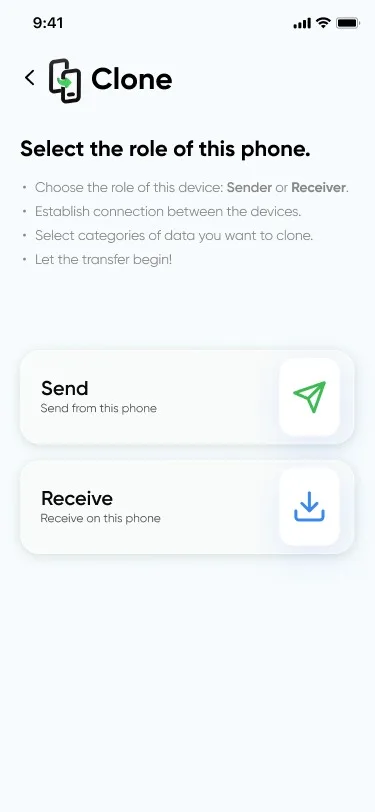
Choose roles:
Sender: Old Phone → Receiver: New Phone
The new phone will receive all selected data.
6. Receiver Permissions
When you select Receiver, the app will request Location Permission.This enables device detection for Wi-Fi pairing. Tap Allow to continue.
7. QR Code or Passcode Connection
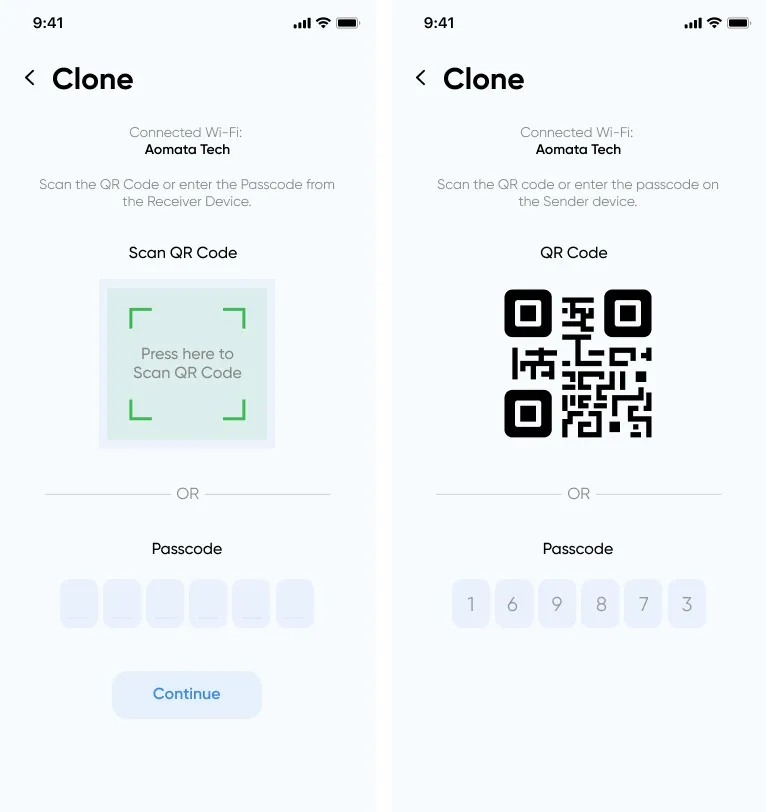
You can pair both devices using either method:
QR Code:
Scan the QR code displayed on the receiving Android device using the sending Android device.
Passcode:
If preferred, enter the six-digit passcode shown on the receiving Android device.
8. Connection Request
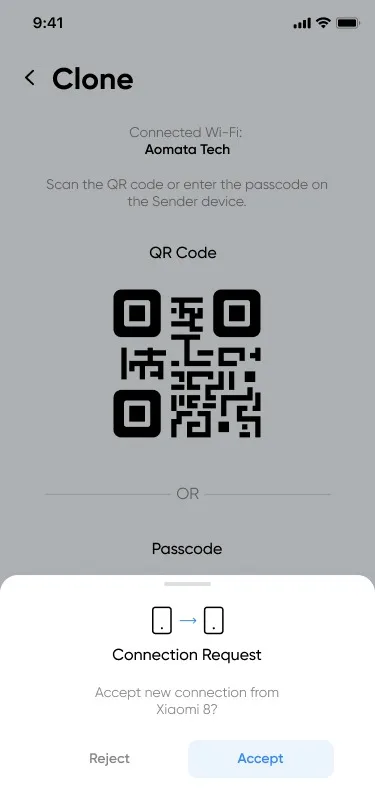
Confirm the Connection Request on both devices to complete pairing.
9. Select Content
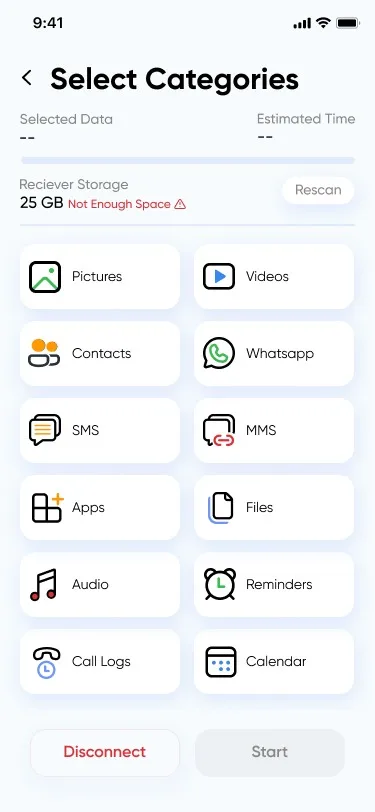
Choose which data to clone, apps, contacts, calendars, photos, videos, and other files.
10. Grant Necessary Permissions
Smart Transfer will request permissions such as access to Contacts, Calendar, Storage, Photos, and other files. Granting these allows the app to read and save the content you’ve chosen to clone onto your new Android device.
11. Start Transfer
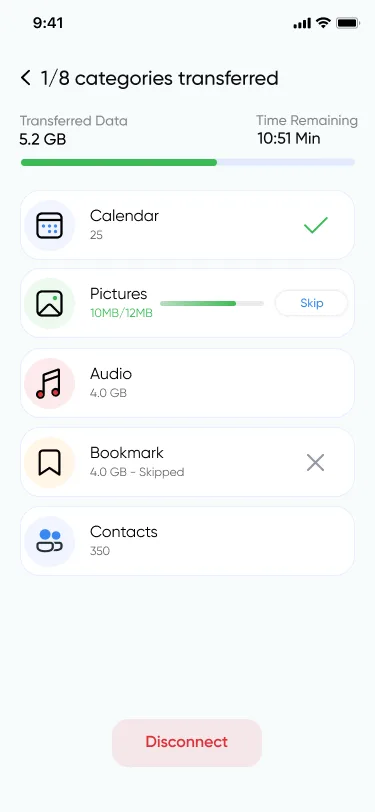
Tap Start on Android to begin the fast share process.
Transfers typically complete in a few minutes, depending on data size and network strength. Keep devices close and active during the process.
12. Verify Success
Once complete, tap Continue.
Your new phone is now ready, fully loaded with your photos, apps, settings, memories, and everything that makes your digital world yours.
Pro Tips for a Flawless Clone
Run a small test transfer first (like contacts)
Clean old unnecessary files to speed up the session
Keep both devices plugged in for stable power
Prefer 5 GHz Wi-Fi or hotspot for maximum speed
Keep both phones close together during transfer
Your Digital Life, Reborn
Upgrading your phone should feel like stepping into a new adventure, not battling cables, cloud errors, or lost files. With Smart Transfer, every moment, message, and memory flows into your new device effortlessly, and securely. You're not just cloning data. You're carrying your world forward, exactly as you built it.
Download Smart Transfer today on Google Play and make your next phone switch the easiest one you’ve ever experienced. For support, feel free to email us at support@smarttransferapp.com.
Frequently Asked Questions (FAQs)
1. What does “phone clone” mean?
Phone clone simply means copying your data, photos, videos, contacts, messages, and apps, from one phone to another. Smart Transfer makes this process wireless and effortless, so your digital life moves forward without missing a beat.
2. Is Smart Transfer better than Smart Switch or other clone apps?
Yes. While traditional tools like Smart Switch phone transfer or CloneIt often work only with certain brands, Smart Transfer speaks every Android device’s language. It works smoothly across Samsung, Pixel, OnePlus, Xiaomi, Huawei, Motorola, and more. No brand barriers. No complications.
3. Can I clone all my data at once?
Absolutely. Smart Transfer allows you to clone it all, photos, videos, contacts, messages, calendars, documents, and even apps. You can also select only the items you want to carry over.
4. Does Smart Transfer use the internet or my mobile data?
No. Smart Transfer works over your local Wi-Fi or phone hotspot. Your data stays on your devices. Nothing is uploaded to the cloud, keeping your transfer private, secure, and lightning fast.
5. How long does a phone switch take?
Speed depends on the size of your data and the strength of your Wi-Fi or hotspot. Most users complete their switch clone in a few minutes.
6. Can I clone data from a very old Android phone?
Yes! As long as the device can install Smart Transfer from Google Play, you’re good to go. Smart Transfer is designed to help even older phones pass their memories forward gracefully.
7. Do I need cables or a computer?
Not at all. Smart Transfer is 100% wireless, no computers, no USB cables, no tangled cords. Just install the app on both devices and begin your phone clone journey.
8. Will apps transfer too?
Yes. Smart Transfer copies apps from your old device to your new one.
9. Is my data safe while using Smart Transfer?
Your data never leaves your phones. Smart Transfer creates a direct, encrypted connection between your devices. No servers. No cloud storage. Just a secure and private transfer.
10. What if I only want to transfer one type of data?
That’s perfectly fine. You can choose exactly what you want to move, whether it's just contacts, photos, videos, or documents. Smart Transfer respects your choices.