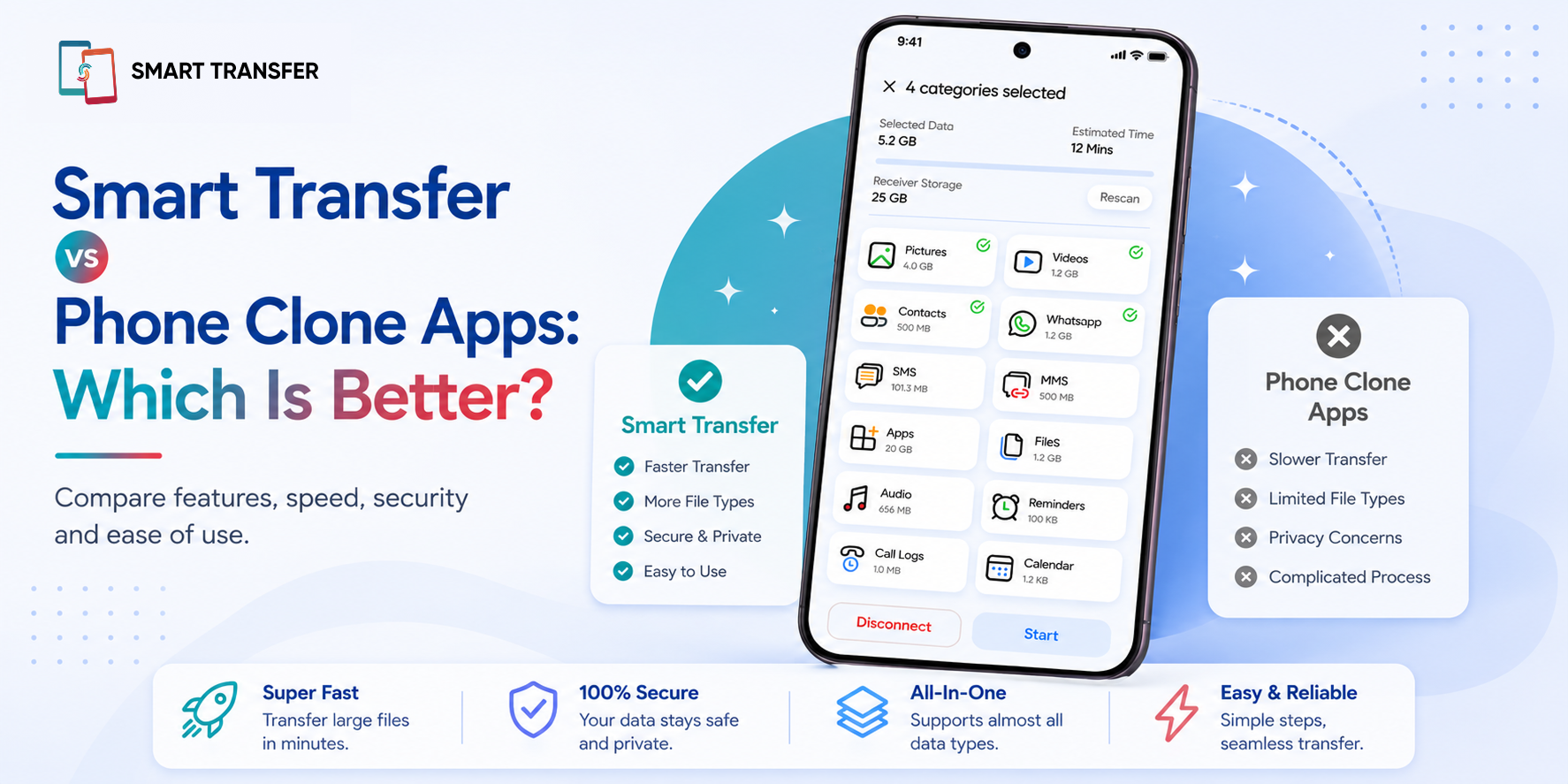
Choosing a phone clone app should be easy, but with so many options promising fast transfers, secure connections, and one-tap migrations, it can be difficult to know which one actually delivers. While most apps can move your data from one phone to another, the overall experience often comes down to compatibility, reliability, ease of use, and the features available after the transfer is complete.
In this guide, we'll compare Smart Transfer with typical phone clone apps to help you understand the key differences. From supported devices and transfer capabilities to storage management and additional tools, you'll see what each option offers so you can choose the app that best fits your needs.
At the heart of Smart Transfer is its Phone Clone feature, which makes it easy to move your photos, videos, contacts, documents, and other important data between compatible devices. But as you'll discover, transferring data is only one part of what Smart Transfer can do.
Key Takeaways
Not all phone clone apps offer the same experience. While most can transfer data between devices, they often differ in compatibility, transfer options, reliability, and additional features.
The best phone clone app depends on your needs. If you only need a one-time data transfer, a basic cloning app may be enough. If you want storage management, contact organization, backup tools, and other device utilities, choosing a more comprehensive app can provide greater long-term value.
Smart Transfer combines phone cloning with everyday device management. In addition to its Phone Clone feature, it includes tools for storage cleanup, contact management, backups, network information, QR code scanning, and more, making it useful long after you've finished transferring your data.
What Is a Phone Clone App?
A phone clone app is designed to help you transfer your data from one device to another when you upgrade or switch phones. Instead of manually copying your photos, contacts, videos, documents, and other files, a phone clone app automates the process, making it faster and reducing the risk of leaving important data behind.
Whether you're moving from Android to Android, iPhone to iPhone, or switching between operating systems, a reliable phone clone app can significantly simplify the transition. Many apps also let you choose exactly what you want to transfer, so you're not forced to copy unnecessary files to your new device.
Smart Transfer's Phone Clone feature supports multiple transfer scenarios and allows you to move important data securely in just a few simple steps. Rather than spending time transferring files one category at a time, you can migrate your data in a single, streamlined process.
When Should You Use a Phone Clone App?
A phone clone app can be useful whenever you need to move your data to another device, including when you:
Upgrade to a new smartphone.
Switch from Android to iPhone or vice versa.
Replace a damaged or aging phone.
Set up a secondary device.
Want to move important files without using cables or a computer.
If you're changing phones, using a dedicated phone clone app is often the fastest and most convenient way to get your new device up and running.
Smart Transfer vs Typical Phone Clone Apps
Most phone clone apps are designed to do one thing well: transfer your data from one phone to another. If that's all you need, many apps can get the job done. However, once the transfer is complete, their usefulness often ends.
Smart Transfer takes a broader approach. In addition to helping you move your data, it includes a range of tools designed to help you manage, organize, and maintain your device long after you've switched phones.
While both Smart Transfer and many phone clone apps can successfully move your data, Smart Transfer is designed to remain useful after the transfer is complete. Instead of installing separate apps to clean up storage, organize contacts, check network information, or back up important data, you can manage all of these tasks from a single app.
Why Smart Transfer Stands Out
For many people, transferring data is only the beginning. Once you're using your new phone, you may want to free up storage, organize duplicate contacts, check your network connection, or back up important information.
Rather than downloading a different app for each task, Smart Transfer brings these everyday tools together in one place. That means you spend less time switching between apps and more time enjoying your device.
Why Features Beyond Phone Cloning Matter
For most people, transferring data is only the first step. Once you're using your new phone, you'll likely need to organize your files, free up storage, back up important information, or troubleshoot everyday issues. If your phone clone app only handles the transfer, you'll often end up downloading several additional apps to manage these tasks.
That's where Smart Transfer offers a different experience. Instead of focusing solely on phone-to-phone transfers, it includes a collection of tools designed to help you manage your device long after the migration is complete.
The biggest advantage is convenience. Instead of installing separate apps for storage cleanup, contact management, backups, and network diagnostics, you can access these everyday tools from one place whenever you need them.
Which App Is Right for You?
The best phone clone app depends on what you need after the transfer is complete. If you're only moving your data once and don't expect to use the app again, a basic phone clone app may be enough. However, if you want ongoing tools to help manage your device, a more comprehensive solution can save you from downloading multiple apps later.
If your only goal is to move your data from one phone to another, you'll find several apps that can handle the job. But if you're looking for an app that continues to add value after the transfer is complete, Smart Transfer offers a broader set of tools that help you organize, maintain, and get more out of your device every day.
How to Choose the Right Phone Clone App
Not all phone clone apps offer the same experience. Before downloading one, take a few minutes to compare its features, compatibility, and ease of use. Choosing the right app from the start can save you time and make switching phones much smoother.
Check Device Compatibility
Make sure the app supports the devices you're using. Some apps only work between phones from the same manufacturer, while others support transfers between Android and iPhone as well as Android to Android and iPhone to iPhone.
Look for Flexible Transfer Options
The best phone clone apps let you choose exactly what you want to transfer. Whether you only need your photos and contacts or want to move everything, having the flexibility to select specific data gives you greater control over the process.
Prioritize Security
Your phone contains personal photos, contacts, messages, and documents. Choose an app that transfers your data securely and respects your privacy throughout the migration process.
Consider Ease of Use
A complicated setup can make switching phones more stressful than it needs to be. Look for an app with a straightforward interface and clear, step-by-step instructions that help you complete the transfer with confidence.
Think Beyond the Transfer
Many phone clone apps are designed for a single task and offer little value once your data has been moved. If you regularly manage your phone's storage, organize contacts, create backups, or troubleshoot connection issues, choosing an app with additional utilities can be a more practical long-term solution.
The right phone clone app should do more than simply move your data. It should make the entire experience easier, from preparing your old device to helping you get the most out of your new one.
Why Smart Transfer Is More Than Just a Phone Clone App
Choosing a phone clone app isn't just about transferring your data. It's about finding a solution that makes switching phones easier while continuing to support you after the migration is complete.
While many phone clone apps focus solely on moving files from one device to another, Smart Transfer goes a step further by combining secure phone transfers with practical tools for managing storage, organizing contacts, creating backups, checking network information, and more. That means you can continue using the app long after you've finished setting up your new phone.
Ready to make your next phone transfer easier? Download Smart Transfer from Google Play or the Apple App Store and discover an all-in-one solution for transferring, organizing, and managing your mobile data with confidence.
Frequently Asked Questions About Phone Clone Apps
What is a phone clone app?
A phone clone app helps you transfer data from one phone to another when you're upgrading or switching devices. Depending on the app, you can move photos, videos, contacts, documents, and other personal files without manually copying each item.
Are phone clone apps safe to use?
Reputable phone clone apps are generally safe to use, provided you download them from trusted app stores. Before installing any app, check its ratings, reviews, privacy policy, and the permissions it requests to ensure it meets your security expectations.
Can a phone clone app transfer everything to my new phone?
Most phone clone apps can transfer common data such as photos, videos, contacts, and documents. However, the types of data supported may vary depending on the app and whether you're transferring between Android, iPhone, or different operating systems.
What should I look for in a phone clone app?
When comparing phone clone apps, consider device compatibility, supported transfer types, ease of use, security, transfer speed, and any additional features you may find useful after switching phones. Choosing an app that offers ongoing device management can provide value long after the transfer is complete.
Is Smart Transfer only for moving data between phones?
No. While Phone Clone is one of its core features, Smart Transfer also includes tools for storage management, contact organization, backups, network information, QR code scanning, and other everyday device management tasks, making it useful even after you've finished transferring your data.