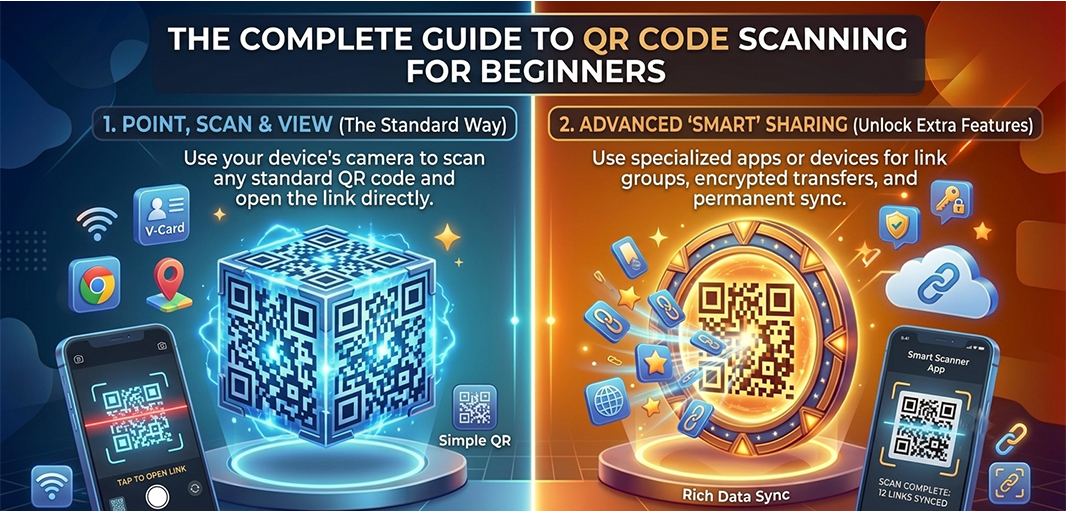
A few years ago, scanning a QR code felt like something you only saw in airports or on the back of a product box. Today, they are everywhere.
You scan one to see a restaurant menu. Another lets you connect to Wi-Fi without typing a password. A poster at a concert sends you to a ticket page, and a package on your doorstep has a QR code that opens setup instructions in seconds.
QR codes have quietly become one of the easiest ways to move from the physical world to the digital one.
If you have never scanned a QR code before, or if you still feel a little unsure about how they work, this guide will walk you through everything you need to know, from your first scan to staying safe online.
Key Takeaways
QR codes let you instantly access websites, Wi-Fi, payments, and other digital information.
Most modern iPhones and Android phones already have built-in QR code scanners.
If a QR code does not scan, the issue is usually lighting, distance, or image quality.
Always scan QR codes carefully and avoid suspicious links or requests for personal information.
What Is a QR Code?
QR stands for Quick Response.
A QR code is a type of barcode made up of black and white squares arranged in a unique pattern. Unlike traditional barcodes that store a limited amount of information, QR codes can hold much more data and can trigger actions instantly.
Think of a QR code as a shortcut. Instead of typing a long website address or manually entering contact details, you simply point your phone at the code and let it do the work for you.
A single QR code can open a website, save a contact, connect your phone to Wi-Fi, download an app, display a document, or even start a payment.
That flexibility is exactly why QR codes have become so popular.
Why QR Codes Are Everywhere Today
People like convenience. Scanning a code takes a second or two. Typing a long URL or searching for information takes much longer.
Businesses have noticed this shift. Restaurants use QR codes for digital menus. Retail stores use them to share product information. Event organizers place them on tickets and registrations. Even small businesses now print QR codes on business cards and packaging.
The growth of contactless payments and digital services has accelerated their adoption even further. What started as a technology used mainly in manufacturing has become part of everyday life.
In many ways, QR codes have become digital shortcuts that save time and reduce friction.
How to Scan a QR Code on an iPhone
If you own an iPhone, the good news is that you probably already have everything you need.
Open the Camera app and point it toward the QR code. You do not need to take a picture or press any buttons. Within a second or two, your phone will recognize the code and display a notification at the top of the screen.
Tap the notification, and your iPhone will automatically perform the action associated with the code.
If nothing happens, check that QR scanning is enabled. You can do this by going to:
Settings → Camera → Scan QR Codes
Once this setting is turned on, scanning becomes almost effortless.
How to Scan a QR Code on Android
Most Android phones work in a very similar way.
Open your camera, point it at the QR code, and wait for the notification to appear. Depending on your device, you may also see an option to use Google Lens, which is built into many Android phones.
Some manufacturers place QR scanning directly inside the camera app, while others rely on Google Lens to recognize the code.
If your phone does not respond immediately, try moving the camera slightly farther away and make sure the QR code is well lit.
After your first successful scan, the process becomes second nature.
What Can QR Codes Do?
Most people think QR codes only open websites, but they can do much more than that.
A QR code can:
Open a webpage
Connect to Wi-Fi
Download an app
Save contact information
Display a restaurant menu
Start a payment
Open a PDF or document
That versatility is why QR codes are now used across industries, from retail and hospitality to healthcare and education.
Common Places You Will Find QR Codes
Once you start noticing them, you will see QR codes almost everywhere.
The small black-and-white square has become a bridge between physical experiences and digital information.
Why Some QR Codes Do Not Scan
Every now and then, you point your phone at a QR code and absolutely nothing happens.
Usually, the problem is surprisingly simple.
The code may be damaged or blurry. The lighting in the room may be too dark. Your phone might be too close to the image, or there may even be a fingerprint on your camera lens.
In most cases, you can solve the issue by making a few small adjustments. Move your phone slightly farther away, improve the lighting, or clean the lens before trying again.
Sometimes the issue is not the code at all. Older devices or outdated software can also struggle to recognize newer QR codes.
Fortunately, most scanning problems take only a few seconds to fix.
Are QR Codes Safe to Scan?
For the most part, yes.
But just like clicking a link in an email, you should still be careful.
Cybercriminals have increasingly used fake QR codes to redirect people to malicious websites or trick them into entering personal information. This type of scam has become common enough that it now has its own name: quishing, which combines the words QR and phishing.
Before tapping a link, take a second to check where it is taking you.
A few simple habits can keep you safe:
Avoid scanning codes from suspicious sources.
Check that the website address looks legitimate.
Do not enter sensitive information on unfamiliar websites.
Be cautious if a QR code immediately asks for payment details.
A little caution goes a long way.
Static vs Dynamic QR Codes
If you ever create your own QR codes, you will probably come across two terms: static and dynamic.
A static QR code is permanent. Once it is created, the information inside it cannot be changed.
A dynamic QR code is more flexible. You can update the destination even after the code has been printed. Businesses often prefer dynamic QR codes because they can change links, update campaigns, and even track how many times a code has been scanned.
For most people, the difference will not matter during everyday scanning. But if you plan to use QR codes for business, understanding the distinction can save a lot of time later.
How to Keep Your Scanned QR Codes Organized
Here is something most people do not think about until it becomes a problem.
You scan a restaurant menu one day, save an event ticket the next, and later scan a business card at a networking event. A few weeks pass, and suddenly you need one of those links again.
Where did it go?
Was it saved in your browser history? Did you take a screenshot? Was it in your messages?
After scanning dozens of QR codes, keeping track of them becomes surprisingly difficult.
This is where having a dedicated system helps. Smart Transfer's QR Code Manager lets you save, organize, and revisit your scanned QR codes whenever you need them. Instead of digging through browser history or old screenshots, everything stays in one place and is easy to find.
The Future of QR Codes
QR codes are no longer a temporary trend or a novelty feature.
Businesses continue to adopt them because they are fast, convenient, and easy to use. Consumers are becoming more comfortable scanning codes for payments, information, and digital services.
As smartphones become more integrated into everyday life, QR codes are likely to become even more common.
The little square made of black and white boxes has quietly become one of the simplest ways to connect our physical and digital worlds.
Final Thoughts
Learning how to scan a QR code is one of those small digital skills that quickly becomes useful in everyday life.
Once you know how it works, you can access information faster, connect to services instantly, and unlock experiences with a single scan.
And if you regularly scan QR codes, organizing them becomes just as important as scanning them in the first place.
Download Smart Transfer today and use its QR Code Manager to save, organize, and revisit your scanned codes whenever you need them.