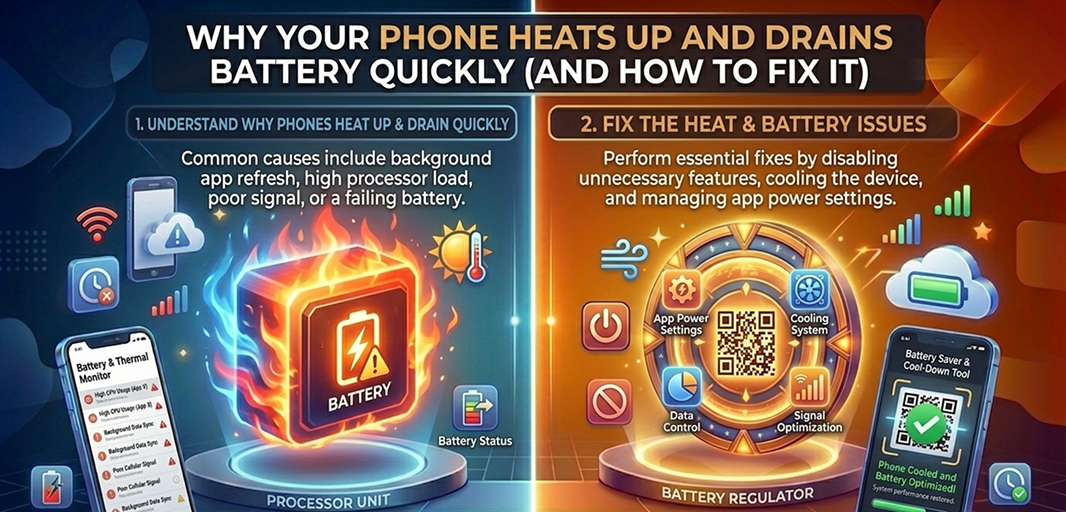
You pick up your phone and notice it feels warmer than usual. Not just slightly warm, but enough to make you pause. Around the same time, your battery is dropping faster than it should. You haven’t done anything extreme, no heavy gaming or long video sessions, yet something is clearly off.
That combination is not a coincidence. Heat and battery drain are connected. When your phone starts heating up, it is a signal that something inside is working harder than it should. And the harder it works, the faster your battery drops.
The mistake most people make is treating these as two separate problems. In reality, they are part of the same system.
Key Takeaways
Heat and battery drain come from the same cause: your phone working harder than it should.
Background apps, screen usage, and weak signals are the main drivers of both overheating and fast battery loss.
Small, constant processes add up. It is not one issue, it is combined system pressure.
Fix the load, not the symptoms. Reduce background activity and stabilize usage to solve both problems together.
What Is Actually Causing the Heat and Battery Drain
Your phone runs multiple processes at the same time. Some are visible, like the apps you open. Others run quietly in the background, syncing, updating, and maintaining connections.
When one or more of these systems becomes overactive, two things happen at once. Your processor works harder, which generates heat, and your battery drains faster to support that activity.
In most cases, the cause comes down to a combination of:
Background apps using resources continuously
Screen usage pushing power consumption higher
Network instability forcing constant reconnects
Charging habits adding extra heat
System or app-level overload
These are not separate issues. They stack on top of each other, which is why the problem can feel sudden and difficult to explain.
Background Activity Is the Starting Point
The first place to look is what your phone is doing when you are not actively using it.
Apps do not fully stop when you close them. Many continue running in the background, refreshing data, checking for updates, and syncing information. One app doing this is manageable. Ten apps doing it at once is where problems begin.
This creates a constant workload on your processor, which increases heat and drains battery at the same time.
You will notice patterns like:
The phone heating up even when idle
Battery dropping without active use
Frequent updates or notifications from multiple apps
Once this starts, everything else builds on top of it.
Reducing background activity is the first step. Limit unnecessary apps, remove the ones you no longer use, and check which apps consume the most power. When background load drops, both heat and battery drain improve.
Screen Usage Amplifies the Problem
If background activity is already pushing your phone, your screen makes it worse.
The display is one of the most power-hungry parts of your phone. High brightness, long screen time, and advanced display settings all increase energy use. That energy turns into heat.
Now combine that with background processes already running, and you have a system under constant load.
This is why you might notice your phone getting warmer during normal use, not just heavy tasks.
To reduce this pressure, lower your brightness, shorten screen timeout, and turn off features you do not actively benefit from. These adjustments reduce both power usage and heat output immediately.
Network Instability Adds Invisible Pressure
Even if your usage feels light, your connection can be quietly draining your battery.
When your phone struggles to maintain a signal, it increases its effort to stay connected. It keeps searching, reconnecting, and switching between networks. That process uses power and generates heat.
This often happens in areas with weak signal or when your phone constantly switches between Wi-Fi and mobile data.
You may notice your phone draining faster even when it is sitting idle. That is because it is working in the background to maintain a connection.
Stabilizing your network helps reduce this. Use a strong Wi-Fi connection when possible and avoid unnecessary switching between networks. This removes one of the less obvious sources of heat and battery drain.
Charging Habits Can Push the System Further
If your phone is already under load, charging can make the situation worse.
Charging naturally produces heat. When you combine that with active usage or background processes, the temperature rises further. This puts additional stress on the battery and increases drain.
You will see this when:
Your phone heats up while charging
Battery drops quickly even after charging
Performance feels slower during charging
To avoid this, charge your phone in a cool environment, avoid heavy use while charging, and use reliable chargers. This helps keep temperature under control.
System and App Behavior Can Spike Usage
Sometimes the issue is not ongoing activity but sudden spikes.
After installing a new app or updating your system, your phone may run additional processes in the background. This includes indexing data, syncing content, or adjusting system settings.
During this time, you may notice temporary overheating and faster battery drain.
If it continues, the cause is likely a specific app. Some apps are not optimized well and can use excessive resources.
Check your battery usage and look for anything consuming more power than expected. Updating or removing that app often resolves the issue.
Smaller Factors That Add Up
Even after addressing the major causes, smaller features can continue adding pressure.
Things like:
Location services running continuously
Widgets updating in real time
Animated wallpapers
Each one seems minor, but together they create constant background activity.
Reducing these does not transform your battery overnight, but it removes steady drain that keeps your phone under load.
If the Problem Still Exists
If your phone continues to heat up and drain battery after all these adjustments, you need to isolate the issue.
Check how your phone behaves under different conditions:
Does it heat up only during specific apps
Does it drain faster in certain locations
Does restarting improve it temporarily
These patterns help you identify whether the issue is software or hardware related.
If overheating continues even with minimal usage, the problem may be deeper than settings.
How to Keep Your Phone Cool and Efficient
Once the problem is under control, the goal is to prevent it from coming back.
This is not about constant adjustments. It is about maintaining balance.
Keep background activity limited
Manage screen usage
Stay on stable networks
Avoid unnecessary load
When these remain stable, your phone runs cooler and your battery lasts longer.
A Smarter Way to Reduce System Load
A heavy device works harder. More data, more clutter, and more background processes increase strain on your system.
With Smart Transfer, you can:
Remove duplicate and unnecessary files
Manage storage more efficiently
Keep your phone running smoothly
A lighter system reduces workload, which lowers both heat and battery drain.
Final Thought
If your phone heats up and your battery drains quickly, it is not random. It is your device responding to pressure.
The key is not to treat heat and battery as separate problems. They are part of the same system.
Fix the pressure, and both improve together. Download Smart Transfer App now and keep your phone cooler, more efficient, and easier to manage.